
Mom taps one button every morning. You get a text if she doesn’t.
Free forever, no card. Set up in about two minutes.
Quick answer · About Hammock365
Is there a free daily check-in app for a parent who lives alone?
Yes. Hammock365 is a free daily check-in app for a parent who lives alone. Each morning she taps one big button to say she is okay. You see it in the app, and if the tap has not come by the time you picked, one contact gets a text. Free forever, no card, and siblings, caregivers, friends and neighbors join free with the family code. One paid plan at fourteen ninety nine a month texts everyone and adds missed dose alerts, the document vault, family messages, appointments, and Maggie every day. Web, iPhone, and Android.
Hammock365 is the free daily check-in app for a parent who lives alone, and for the family looking after her. Free forever, no card, and set up in about two minutes. When the whole family wants in, one paid plan covers everyone for $14.99 a month.
Family pays direct. No ads in the app. No data sale.
Now live on iPhone, Android, and the web.
Built by Ryan Riggins, Senior Transition Advisor and Advocate, and the team at Riggins Strategic Solutions
Hammock365 in 77 seconds
Formerly SeniorSafeApp. Same app, same team, new name.
Ryan walks through the whole app: the one-button check-in, the text when it does not come, the emergency card, medication reminders, what is free forever, and what the one paid plan adds.
The presenter is a digital likeness of Ryan Riggins, made with HeyGen, reading his own words. Five short how-to videos show each step.
Coordination chaos lives in the daily details.
Every family with a parent who lives alone hits the same four walls. Hammock365 is built to get past all of them.
Maggie. One assistant for the whole family.
For your parent: a recipe, help with an email, what to expect at the doctor. For you: Medicare, the assisted living contract, the cash offer on the house, and the conversations nobody wants to start, drawn from the 19-module Senior Transition Blueprint. She never gives medical or legal advice; she tells you who to call.
Free forever. One paid plan.
No card and no clock. Paid features show a lock inside the app; tap one to see the price.
Three ways to start.
iPhone, Android, or the web. Same app, same login. Pick whichever you have in your hand right now. It is free.
Questions families ask.
Can my elderly parent still live alone safely?
Often, yes, if she is managing meals, medicines, bills and getting around. Small supports help her stay. Memory loss or repeated falls change the answer.
How often should I check on my elderly parent who lives alone?
Aim for one sign she is okay every day, a real talk a few times a week, and visits set by her health. A free daily check-in can cover the daily part.
Is there a free daily check-in app for a parent who lives alone?
Yes. Hammock365 is free forever: your parent taps one button each morning, and you get a text if she doesn't. No card to sign up.
What happens if Mom doesn't tap her check-in?
If Mom hasn't tapped by the time you picked, Hammock365 texts the family. Free: one contact. Paid: everyone. No call center, and not 911.
Check-in app or medical alert pendant: which one does my parent need?
They do different jobs. A pendant is built for emergency response. Hammock365 is a free daily check-in that texts the family. Use both.
How can I check on an elderly parent who lives far away?
Get a daily sign she is okay, a short list of people near her, and her key details on your phone. Hammock365 does the daily check-in free.
What should I do if my elderly parent isn't answering the phone?
Call again, text, then call someone nearby. If nobody can reach her, ask her local police for a welfare check. If it is an emergency, call 911.
Is there a free check-in app for someone who lives alone with no family nearby?
Yes. Hammock365's daily check-in is free forever, and the person who gets the text does not have to be family. A friend or neighbor can be your contact.
Common questions
Common questions about Hammock365.
What is Hammock365?
Hammock365 is the free daily check-in app for a parent who lives alone, and for the family looking after her. Each morning the parent taps one big button. The family sees it in the app, and if the button is not tapped by the time you choose, one contact gets a text. Siblings, caregivers, a friend or a neighbor join free with the family code and see the same board. The free plan never expires and needs no card. The paid plan, $14.99 a month for the whole family, adds texts to everyone, missed-dose alerts, a document vault, family messages and photos, appointments, and Maggie every day. iPhone, Android, and the web. Built by a former house flipper turned consumer protection advisor.
How is Hammock365 different from other check-in apps?
Most check-in apps stop at the check-in. Hammock365 is built for the whole family around it. The check-in, the missed check-in text, and the family board are free forever: siblings, caregivers, a friend or a neighbor join with the family code at no charge. The paid plan adds texts to everyone, missed-dose alerts, the document vault, appointments, family messages, and Maggie, an assistant who knows the Senior Transition Blueprint. We're the only app where the family is the customer, not the data product.
Who is Maggie, and what does she actually do?
Maggie is the one assistant inside Hammock365, for the parent and the adult child alike. For the parent: everyday help, a recipe, an email, what to expect at a doctor visit. For you: real answers about Medicare, assisted living contracts, wholesaler offers on the house, and the hard conversations, drawn from the 19-module Senior Transition Blueprint. Every family gets 10 messages with Maggie free. The paid plan gives the whole family a generous monthly budget. Maggie never gives medical or legal advice; she tells you who to call.
Is Hammock365 really free? Do I need a credit card?
Yes, and no. Signup is a name, an email, a password, and a mobile number. No card, no trial clock, and nobody is ever downgraded. Free forever: the daily check-in, a nudge you can send to her phone in the store app, a text to one contact (family, a friend or a neighbor) when a check-in is missed or I Need Help is pressed, check-in history, the emergency card, medication reminders on the parent's screen, and 10 messages with Maggie. Paid features show a lock inside the app; tapping one shows the price. Nothing auto-charges. Nothing sneaks up on anyone.
What does the paid plan add?
$14.99 a month, or $140 a year, for the whole family: texts to everyone in your family group for each check-in, missed check-in, and I Need Help; missed-dose alerts to the family when a medication is not marked taken within an hour; the document vault; family messages and photos; the appointment manager; and Maggie every day. Joining is already free on every plan: siblings, caregivers, a friend or a neighbor join with the family code. On the web, a family that has never subscribed can start with seven free days from any lock. In the iPhone and Android apps, the App Store and Google Play offer their own two-week introductory trial.
Can I add multiple family members to one account?
Yes, on every plan, with no limit on how many. Siblings, caregivers, grandkids, a friend or a neighbor join with the family code and see the same board. On the free plan the texts go to one contact, the person who set the account up. The paid plan texts everyone. Each person sees the information appropriate to their role. No per-seat fees, and the parent and your siblings never pay.
Does Hammock365 sell my family's data?
No. We don't sell data, we don't run ads, and we don't share with third parties. Family pays direct. Your parent's medications, your check-ins, your messages stay between you and us, encrypted at rest. We're a subscription business that exists to serve the family, not monetize them.
Can my parent use Hammock365 even if they're not great with phones?
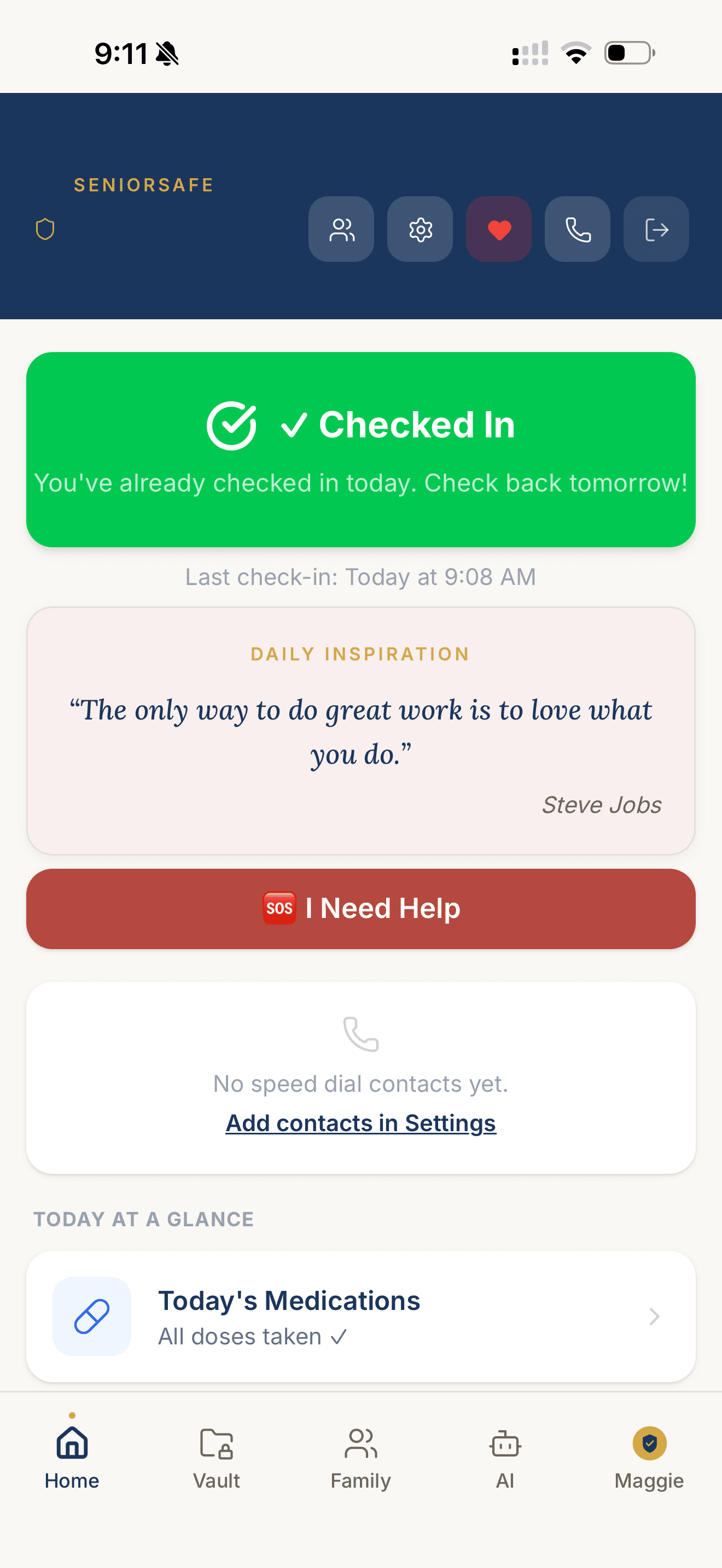
Yes. The parent's screen is stripped down to what matters: a big I'm Okay button, a red I Need Help button, Ask a question, and a large-type menu, and it follows the phone's text size setting. The parent opens a link you text them and lands straight on their button; there is no code to read over the phone. We've tested with parents in their 80s who don't have to learn anything new.
Does Hammock365 replace a medical alert system or a fall detector?
No, and we don't try to. Medical alert pendants and fall detectors are built for emergency response. Hammock365 handles the daily part: your parent taps I'm Okay each morning, the family gets a text if the tap doesn't come, her medication reminders sit on her screen, and the family has one place to see how she is doing. It does not track her or detect falls. If she needs both, use both.
Is Hammock365 a wellness check for seniors living alone?
It is a daily wellness check the family runs, not a police welfare check. Each morning your parent taps I'm Okay. If the tap does not come by the time you picked, a text goes to one contact free, or to the whole family on the paid plan, so someone can call her or a neighbor can knock. Hammock365 does not send anyone to her door, does not detect falls, and is not an emergency service. Texts go to US numbers only. If you are worried right now, call her local police non-emergency line and ask for a wellness check, or call 911 in an emergency. Comparing tools? Our guide on how to choose a daily check-in app for a parent who lives alone walks through the questions to ask.
Can Hammock365 send alerts if my parent misses a check-in?
Yes. If your parent has not tapped the button by the time you choose, Hammock365 sends a text. On the free plan it goes to one contact, the person who set up the account. On the paid plan everyone in the family gets it. The same is true for the I Need Help button. We don't replace 911, but we catch the daily pattern breaks early.
How can I check on my elderly mom every day without calling her constantly?
The daily phone call wears everyone down: you worry when she doesn't pick up, and she feels checked up on. Hammock365 replaces it with a one-tap daily check-in. Each morning your mom taps a single large button to mark that she's okay, and you see the green light on your home screen, on iPhone, Android, or the web. If she has not tapped by the time you chose, you get a text, so silence reaches you instead of sitting unnoticed. That part is free forever, with no card. The paid plan adds today's medications with missed-dose alerts, upcoming appointments, and a shared family message channel, so you're not piecing the day together from three different group texts. It's built for the parent who isn't great with phones: large buttons, plain language, and Maggie she can simply ask. You stay reassured without calling, and she keeps her independence.
Is Hammock365 a location tracker for elderly parents? How is it different?
Location-sharing apps are trackers: they show where someone is on a map. Hammock365 is not a tracker. It's a family check-in app for the daily reality of caring for an aging parent, and it answers a different question: not “where is mom” but “is mom okay, and is the whole family on the same page.” Instead of a dot on a map, you get a one-tap daily check-in with a text when it is missed, free forever, plus, on the paid plan, medication reminders with missed-dose alerts, a shared document vault for the POA and insurance cards, a private family message channel, and Maggie, the family's assistant for everyday questions and senior-transition decisions. It's consent-based and built around the parent's dignity, not covert monitoring, and the family is the customer, so we never sell data or run ads. If you want GPS location, use a tracker. For knowing mom is okay, use Hammock365.
Looking for the planning side?
The Senior Transition Blueprint is the one-time plan. Hammock365 is the daily tool that runs after. Both come from Riggins Strategic Solutions.